








日本語 ・ English
Site Reporter
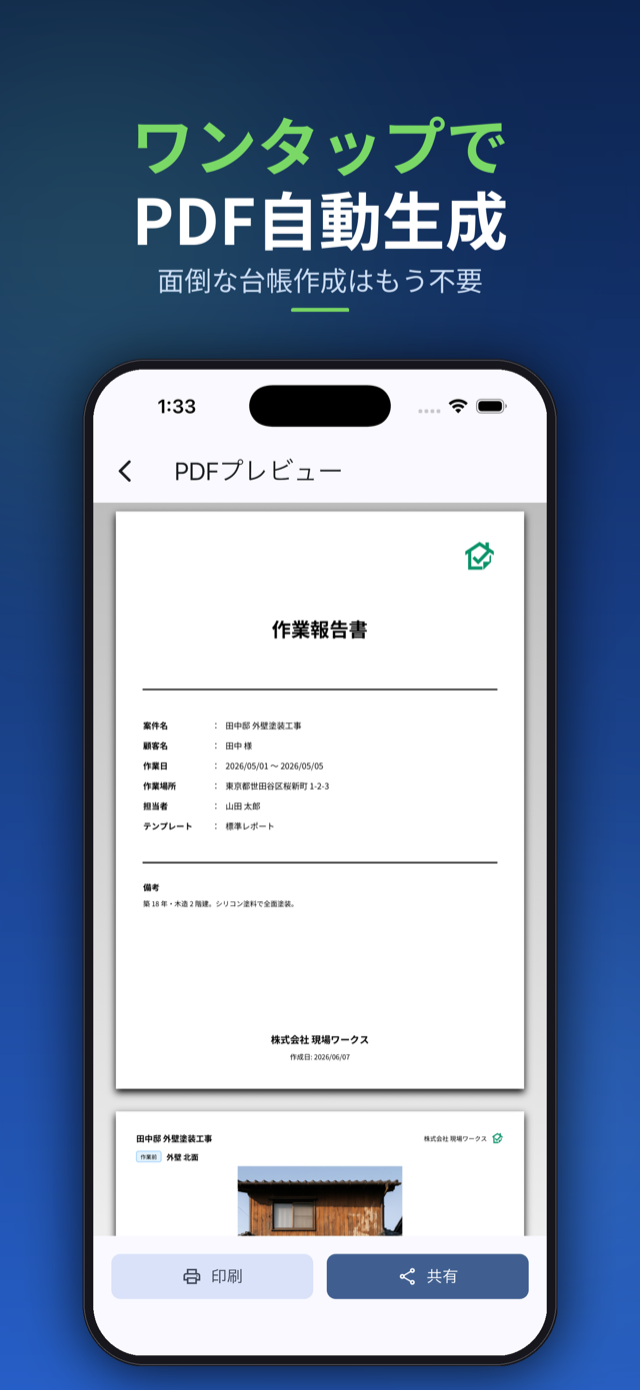
Site Reporter turns construction, renovation, painting, cleaning, and inspection site photos into a polished PDF report — straight from your iPhone. Shoot a photo, add a comment, pick a layout, generate the PDF, share. That’s it.
Features
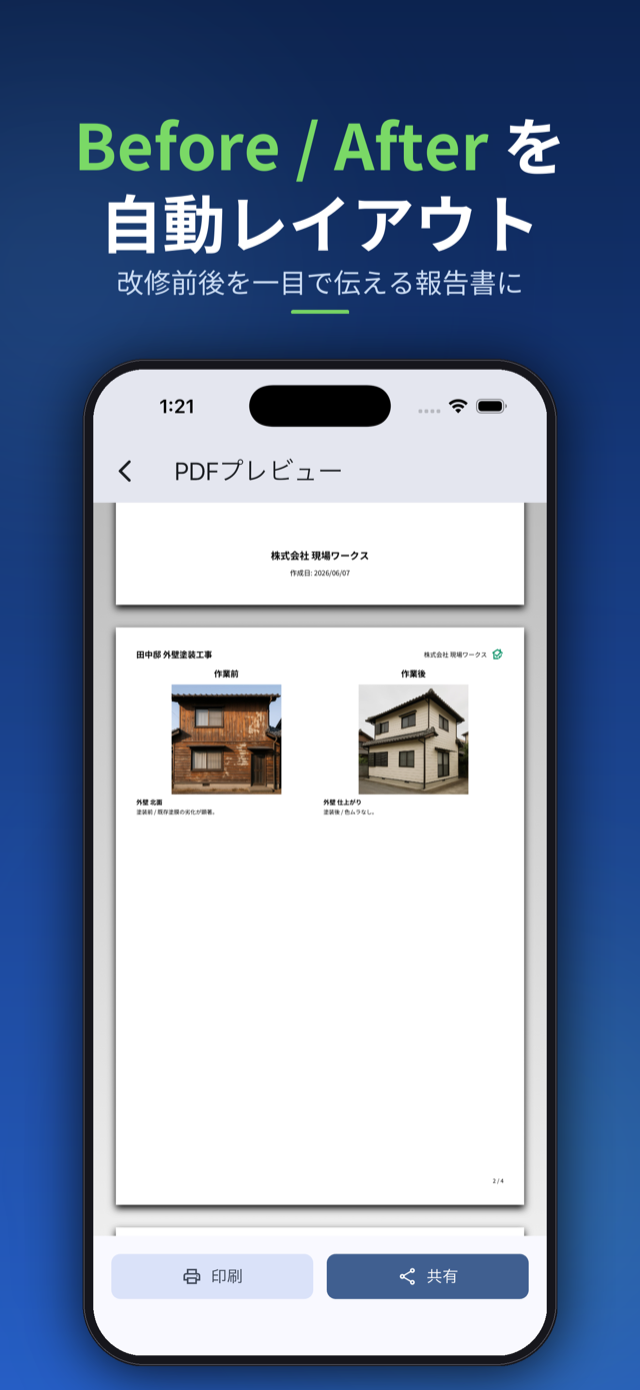
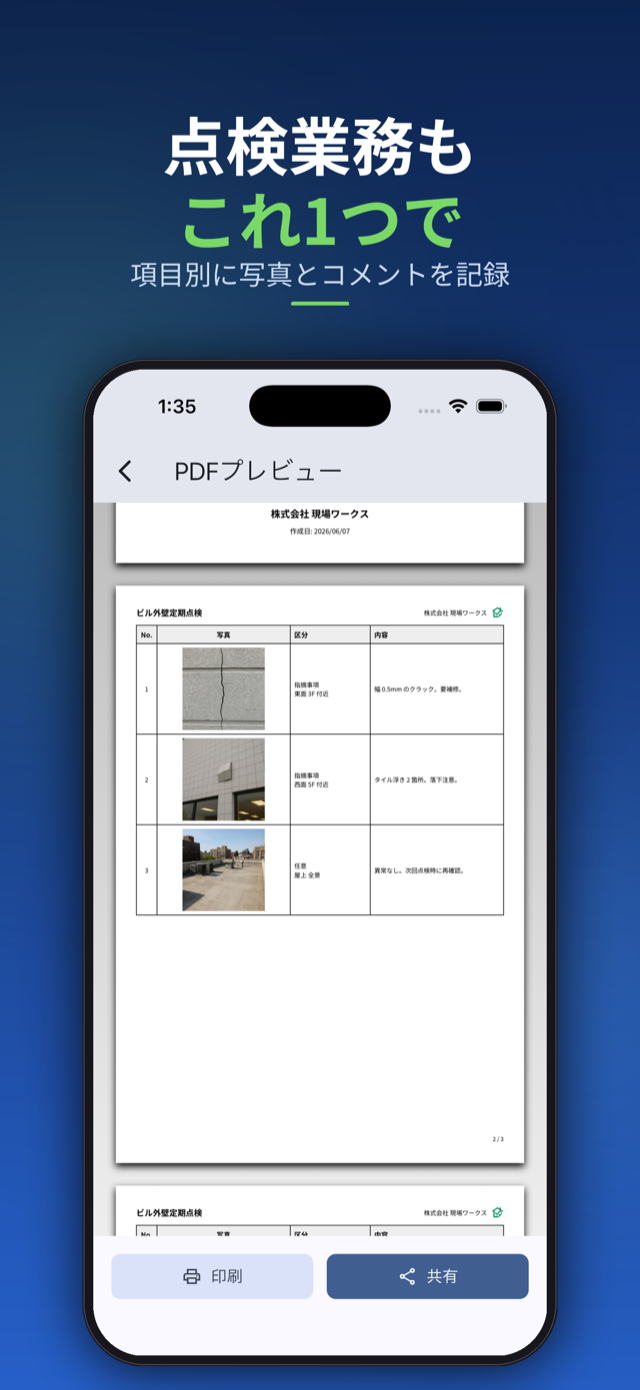
- 6 report layouts — Standard / Before-After / Inspection / Photo Album / Issue Summary / Photo Ledger
- Photo ledger and blackboard stamp — a ledger PDF with a cover page and 3 numbered photos per page, plus a blackboard-style stamp (project, work type, date) overlaid on each photo. The original photos are never changed
- Blackboards for a whole project at once — add or remove blackboards on every photo in a project from its menu
- Shooting date on photos — optionally stamp the date (or date and time) in the bottom-right corner of each photo in the PDF
- Tag every photo as Before / During / After / Issue / Other for one-glance organization
- Set categories in bulk — choose Set photo categories in bulk from the project menu, select photos and tag them Before or After in one go (also offered right after adding photos in bulk)
- Zoom in on photos — tap a photo to view it full screen, then pinch or double-tap to check the details
- Rotate and replace photos — turn a photo left or right, or swap in a retaken shot while keeping its title, comment, category and blackboard
- One large photo per page — a setting that puts a single, large photo on each PDF page, handy for showing an issue clearly
- Tap to reuse names — client names, locations and staff you’ve entered before appear as chips you can tap
- Per-project photo management — every project keeps its own set of photos and notes
- One-tap project duplication — copy a recurring inspection or a regular client’s setup and just retake the photos
- Comment snippets — save phrases you reuse and drop them into the comment field with one tap
- One-tap PDF generation and sharing — straight to email, AirDrop, messaging apps, or print
- Per-project export history — see at a glance which projects you’ve already handed off
- Rename report fields — call them “Subject”, “Recipient”, “Before / After” or whatever fits inspection, cleaning or general reports; presets fill in a matching set at once
- Embed your company logo in PDFs (Pro) — appears top-right of the cover and in each page header
- Offline-first — no sign-up, no account, no required network; all data stays on your device
Documents
Pricing
Pro is a one-time ¥1,000 purchase. No subscription.
Requirements
iOS 15.0 or later (iPhone / iPad), or Android.